|
|||||||||||



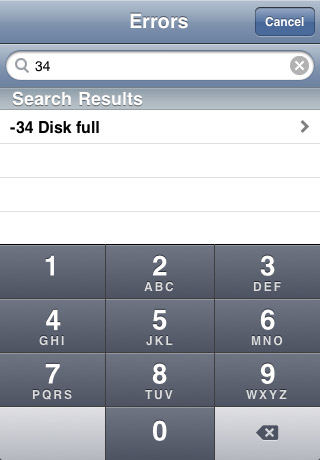
Code Sleuth includes macintosh system error codes in a range from --32049 to +32767 Programmers can use their own error codes in the range +1000 through +9999. Those codes are not included in Code Sleuth. A few error numbers are duplicated. This is rare but possible. When you do a search for an error number, you may see more than one occurence of the error number. But you will notice that it has a different description and different Acronym. Carnation Software does not provide support for nor guarantee search results for error codes found on the web with Code Sleuth. In other words, we are not going to troubleshoot your Mac for you. But there is a wealth of knowledge on the web and we hope to point you in the right direction with our Advanced Google searches. Searching for Error Numbers Tap the Searchbar and a numeric keyboard will pop up to let you enter error numbers.
If you are scrolling through the large list of errors and decide that you want to do a search instead, you can tap at the top of the screen to make the searchbar appear.
After you enter the search number, tap on the item found to open up the "Search the Web" screen. There you will see a description of the error. Click on one of the search buttons to search the web for a solution to the error.
Look in your Utilities folder for the Console application and run it. 5/29/09 11:22:45 AM com.apple.backupd35512 CoreEndianFlipData: error -4940 returned for rsrc type FREF (id 133, length 7, native = no) Note that it says error -4940 Sometimes programs will report system errors with a pop-up window. In that case, you will already have the error number and will not need to find it in the console log. NOTE: Programmers can use their own error codes in the range +1000 through +9999. Those codes are not included in Code Sleuth. Process ID's in the Console Log
|




Software Author - Rich Love richlove@carnationsoftware.com
Code Sleuth Home

Driftwood, TX 78619
Copyright 2009, Carnation Software. All Rights Reserved.